Your Workout Captured in Seconds
Workout Capture
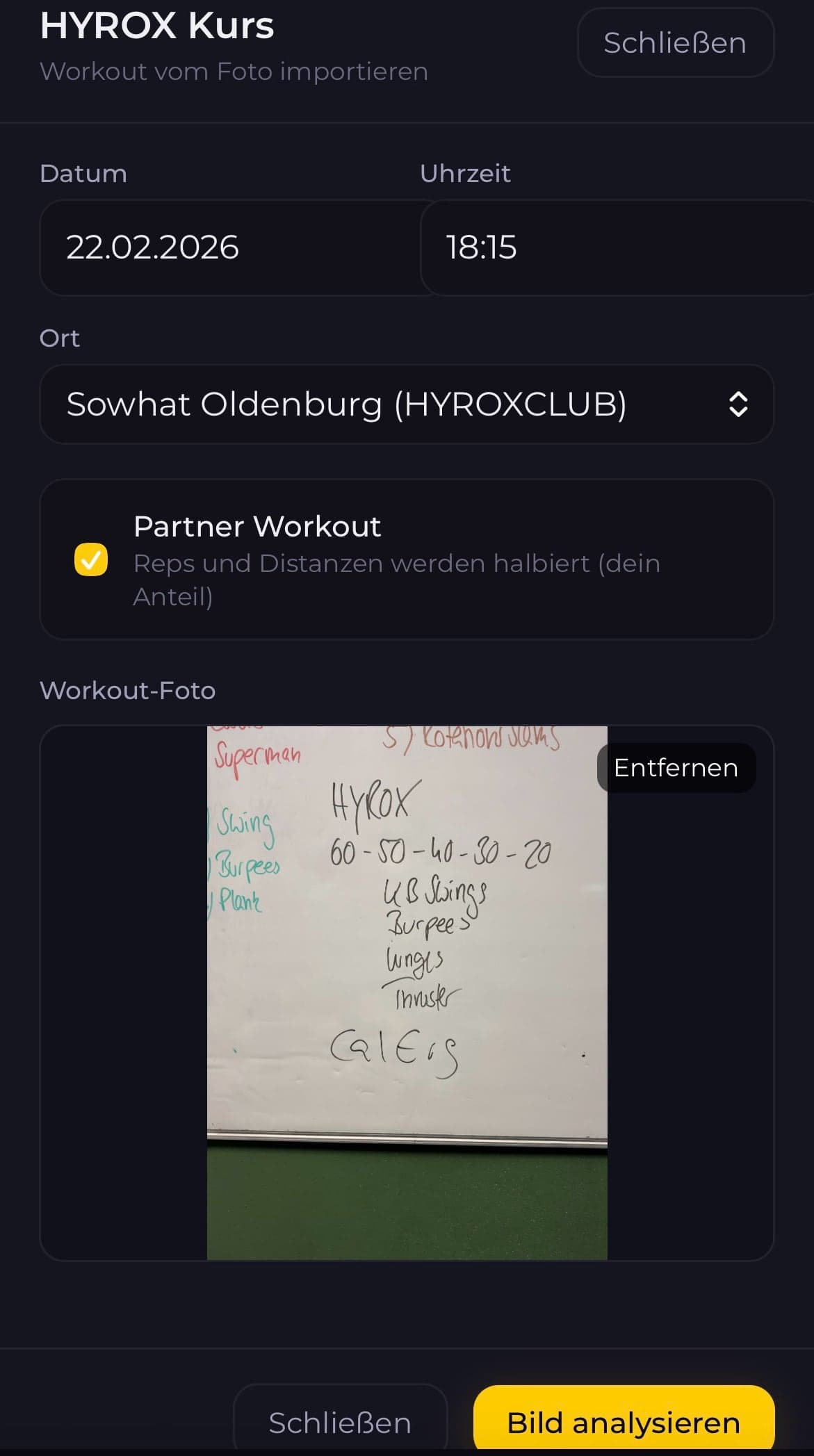
You train at a HYROX club or CrossFit box, and the workout is written on a chalkboard or whiteboard. Instead of typing it all in, you take a photo – HARIE does the rest.
How Does It Work?
Take a photo
Take a photo of the board or upload an existing picture (JPG, PNG or WebP).
The structure of the workout is usually already on the board.
AI recognition
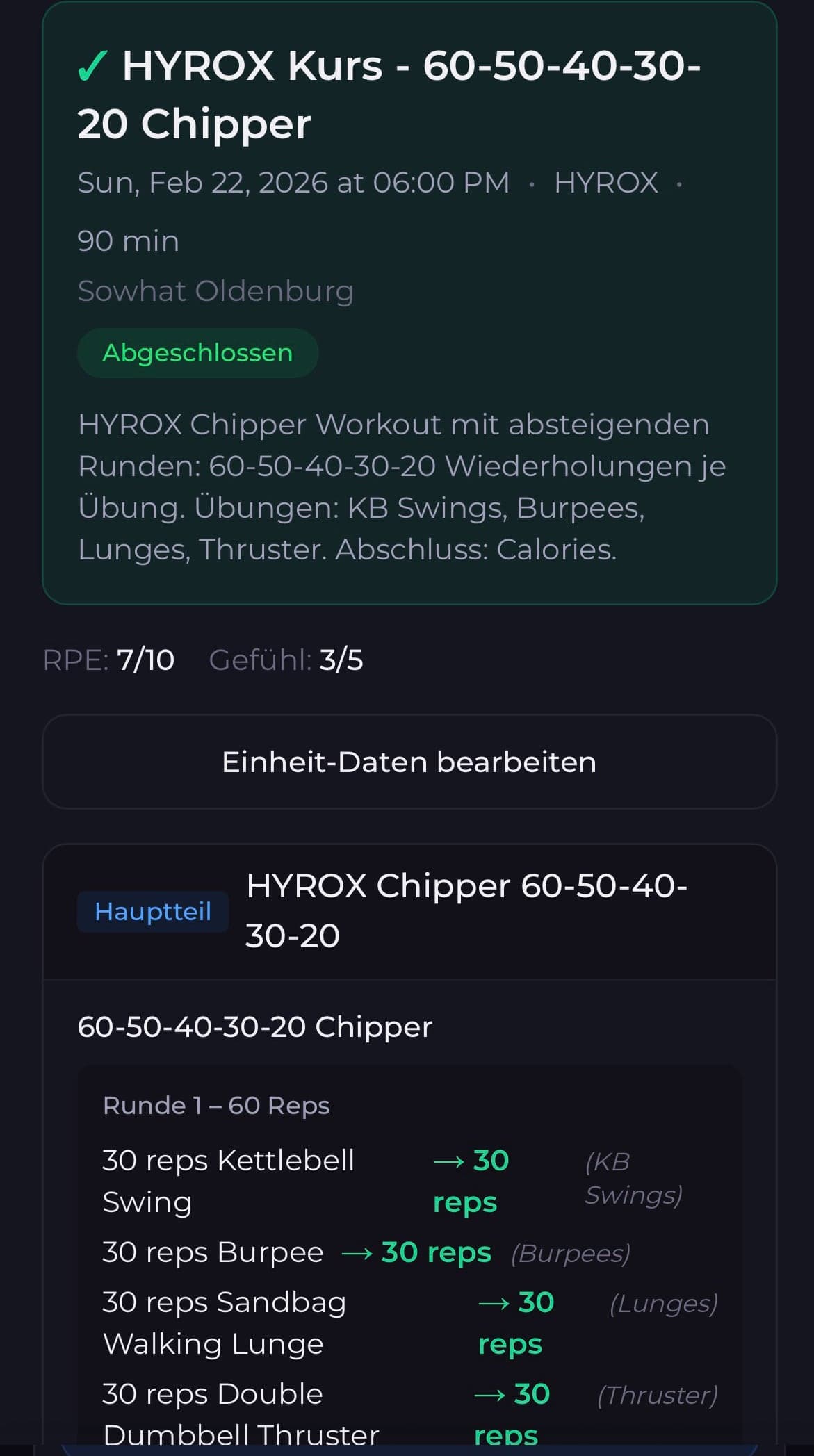
HARIE reads the picture with AI image recognition (Claude Vision): blocks such as warm-up and main part, rounds, exercises, reps, times, distances and loads. HARIE matches the exercises to its exercise catalogue.
You don't have to type anything – the AI does it for you.
Review & save
Check the recognised values and correct anything that is wrong. If you trained with a partner, HARIE halves reps and distances to your share.
You stay in control before anything is saved.
Why This Matters
HARIE calculates how much volume you did at each HYROX station over the last eight weeks and picks the stations for your next HYROX sessions from that. If you train at a club once or twice a week, that training belongs in the calculation. Otherwise HARIE would plan wall balls you just did in class and neglect other stations instead.
An example
On Wednesdays you train at your HYROX club. The board says: 4 rounds of 1,000 m SkiErg, 20 wall balls and 50 m sled push. You take a photo of the board, HARIE recognises rounds, exercises and values, and you confirm them.
Now the SkiErg metres, the wall balls and the sled metres count towards your station volume. Your next HYROX session from HARIE leans towards the stations that recently got too little attention.